1.1 pyvisim Introduction
Welcome to this library! pyvisim hosts a collection of traditional and deep learning-based image similarity metrics and follow the Object-Oriented design. In this Tutorial, following metrics will be covered, through which you can get a general impression of this library:
Structural Similarity Index (SSIM): compares two aligned images through local luminance, contrast and structure statistics. The score ranges from0to1, where only identical images score1.Peak Signal-to-Noise Ratio (PSNR): originiating from Signal Processing, it is commonly used to measure the “lossiness” of an image after compression. It ranges from0toinf, where only identical images scoreinf.Clip Embedder: a neural network trained on a paradigm calledContrastive Language-Image Pretraining (CLIP)to embed images and texts into a shared latent space, where similarity can be measured by the cosine similarity of their embeddings. See This Paper for more details.
1. Setting Up
Required Imports and Configuration
import io
from itertools import islice

import matplotlib.pyplot as plt
import numpy as np
import torch
from PIL import Image

from pyvisim.datasets import OxfordFlowerDataset
from pyvisim.dense.pixelwise import PSNR
from pyvisim.dense.structural import SSIM
from pyvisim.neural_networks import ClipEmbedder
from pyvisim.typing import UInt8NumpyArray
/home/runner/work/Python-Visual-Similarity/Python-Visual-Similarity/.venv/lib/python3.10/site-packages/tqdm/auto.py:21: TqdmWarning: IProgress not found. Please update jupyter and ipywidgets. See https://ipywidgets.readthedocs.io/en/stable/user_install.html
  from .autonotebook import tqdm as notebook_tqdm
Set the strength of the image degradations
JPEG_QUALITY is the JPEG quality (from 1 to 95) of the compressed image, and NOISE_SIGMA is the standard deviation of the Gaussian noise added to the noised image. Lower the quality or raise the noise to degrade the image further.
We will use these to see how SSIM and PSNR respond to image degradations.
JPEG_QUALITY = 10
NOISE_SIGMA = 25
Helper functions
def plot_image(image: UInt8NumpyArray | torch.Tensor, title: str = "Image") -> None:
    """
    Plot a single image.

    :param image: Image as a NumPy array (H, W, C) or torch tensor (C, H, W)
    :param title: Title of the plot
    """
    plt.figure(figsize=(10, 10))
    if isinstance(image, torch.Tensor):
        image = image.detach().cpu()
        if image.ndim == 3:
            image = image.permute(1, 2, 0)
        image = image.numpy()
    plt.imshow(image)
    plt.axis("off")
    plt.title(title)
    plt.show()
2. Initializing the CLIP Embedder
The ClipEmbedder downloads the pre-trained weights of the requested CLIP variant from the Hugging Face Hub on first use and caches them. Here, we use the ViT-B-32 variant with the original openai weights.
clip_embedder = ClipEmbedder(variant="ViT-B-32", pretrained="openai")
print("CLIP embedder:", clip_embedder)
Warning: You are sending unauthenticated requests to the HF Hub. Please set a HF_TOKEN to enable higher rate limits and faster downloads.
CLIP embedder: ClipEmbedder(variant=ViT-B-32, pretrained=openai, device=cpu, normalize=True, similarity_func=cosine)
3. Embedding Images and Computing Similarities
First, we load some sample images from the Oxford Flower dataset.
dataset = OxfordFlowerDataset()
images = [
    image for i, (image, *_) in enumerate(islice(dataset, 200))
]  # Set '200' to len(dataset) for full dataset
Example: Embedding Images
We will convert all images from the dataset batch above to embeddings (which is basically the numerical representation of the image using the algorithm of the embedder).
image_embeddings_clip = clip_embedder.embed(images)
print("Shape of CLIP embeddings:", image_embeddings_clip.shape)
Shape of CLIP embeddings: (200, 512)
Example: Computing Similarity Between Two Images
First, we choose and plot the images to compare.
image_1, image_2 = images[0], images[1]
plot_image(image_1, title="Image 1")
plot_image(image_2, title="Image 2")
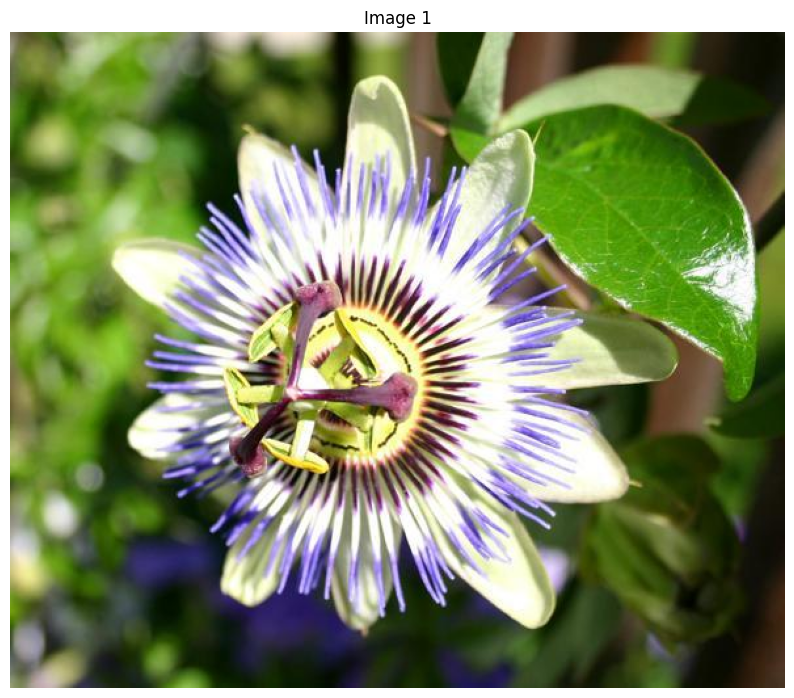
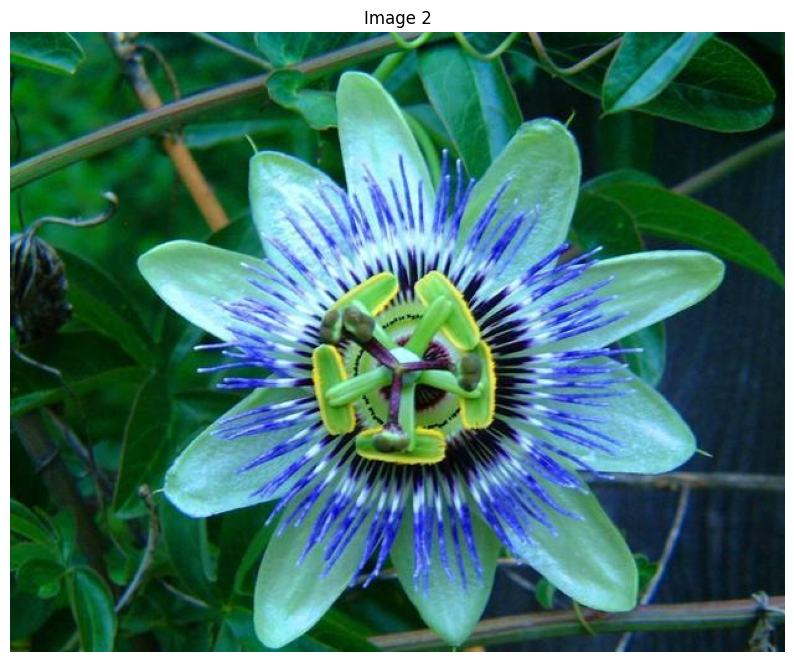
# Compute similarity using the CLIP embedder
similarity = clip_embedder.similarity_score(image_1, image_2)

print("Similarity score:", similarity)
Similarity score: [[0.93107253]]
4. Comparing an Image with its Compressed and Noised Versions
Note
SSIM and PSNR compare two aligned images pixel by pixel, so both images must have the same shape:
Example: Creating a Compressed and a Noised Image
We create a JPEG-compressed and a noised version of image_1.
def compress_jpeg(image, quality):
    """
    Compress an image with JPEG and decode it again.

    :param image: RGB image as a NumPy array (H, W, C)
    :param quality: JPEG quality, from 1 to 95
    :return: The decoded JPEG image as a NumPy array (H, W, C)
    """
    buffer = io.BytesIO()
    Image.fromarray(image).save(buffer, format="JPEG", quality=quality)
    with Image.open(buffer) as compressed:
        return np.asarray(compressed.convert("RGB"))


def add_gaussian_noise(image, sigma, seed=42):
    """
    Add Gaussian noise to an image.

    :param image: RGB image as a NumPy array (H, W, C)
    :param sigma: Standard deviation of the noise, in pixel values
    :param seed: Seed of the random number generator
    :return: The noised image as a NumPy array (H, W, C)
    """
    rng = np.random.default_rng(seed)
    noise = rng.normal(0.0, sigma, size=image.shape)
    return np.clip(image + noise, 0, 255).astype(np.uint8)
compressed_image = compress_jpeg(image_1, JPEG_QUALITY)
noised_image = add_gaussian_noise(image_1, NOISE_SIGMA)
plot_image(compressed_image, title=f"Image 1, JPEG quality {JPEG_QUALITY}")
plot_image(noised_image, title=f"Image 1, Gaussian noise with sigma {NOISE_SIGMA}")
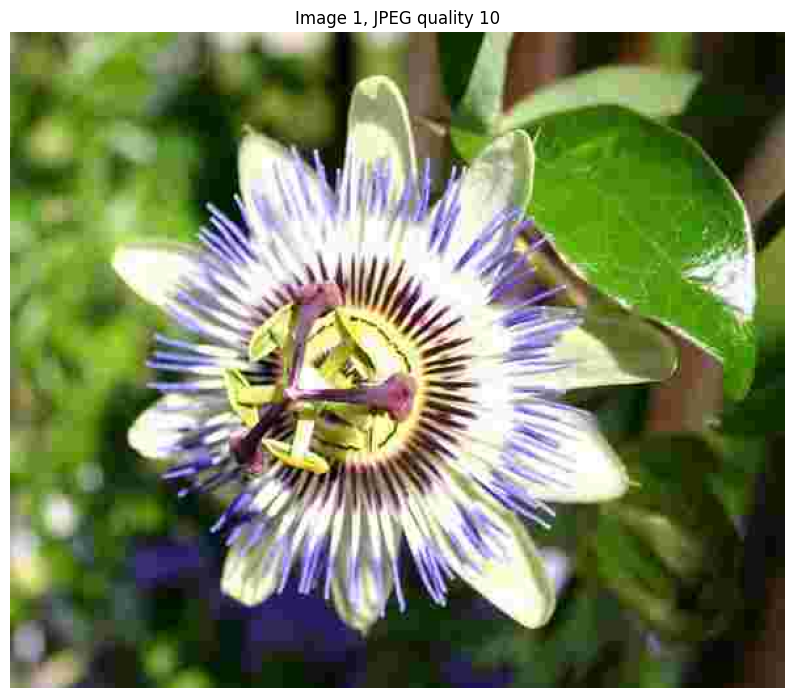
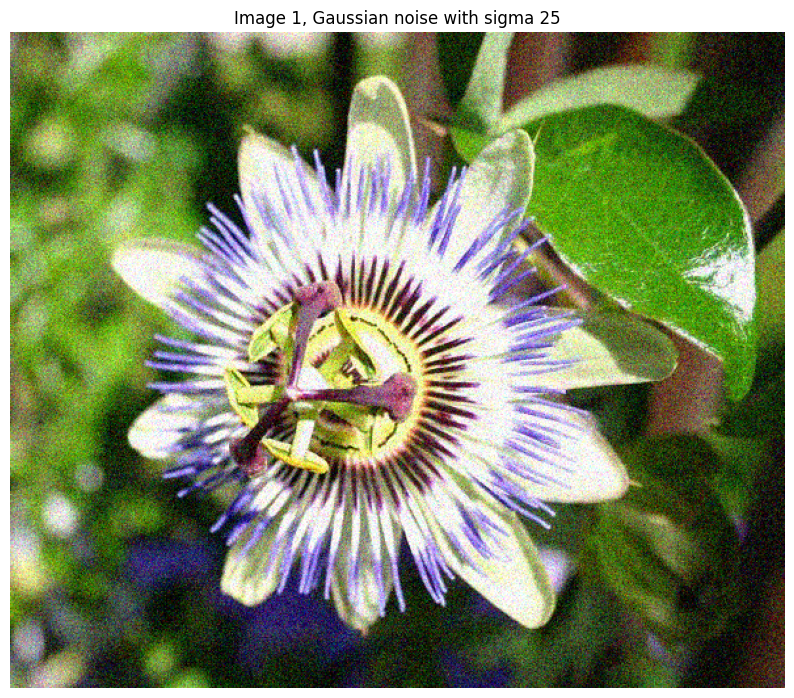
Example: Computing SSIM and PSNR
Now, we compare image_1 with its compressed and its noised version.
# Compute similarity using SSIM
ssim = SSIM()

print("SSIM, compressed image:", ssim.similarity_score(image_1, compressed_image))
print("SSIM, noised image:", ssim.similarity_score(image_1, noised_image))
SSIM, compressed image: [[0.80544227]]
SSIM, noised image: [[0.37555055]]
# Compute similarity using PSNR
psnr = PSNR()

print("PSNR, compressed image:", psnr.similarity_score(image_1, compressed_image))
print("PSNR, noised image:", psnr.similarity_score(image_1, noised_image))
PSNR, compressed image: [[26.45586812]]
PSNR, noised image: [[20.84264716]]